

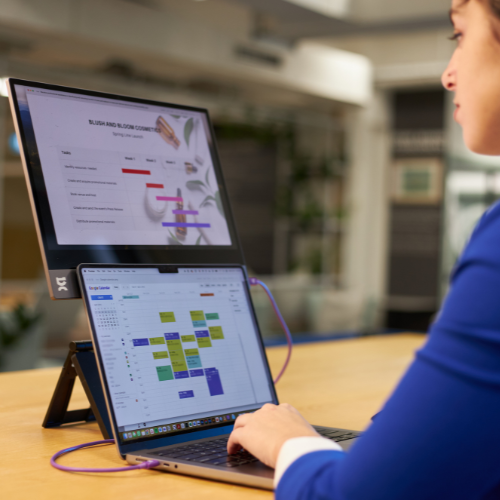
Updated November 2026 with today's espresso range and prices for the US, Australia, the UK, the EU and New Zealand.
A portable monitor gives you a second screen wherever you work, study or travel.
It's different from a desk monitor. You carry it, set it up in different places and plug it into different devices. So a few extra things matter before you decide what to buy and how much to spend.
Below are the six things to check. Each one ends with the espresso models that fit, so you can go straight from what you need to what to buy.
The short answer

Shop the range: Lite 15, Display 15, Touch 15, Pro 15 and Pro 17.
Prices for every model, in US, AU, UK, EU and NZ currencies, are at the end of this article.
1. Screen size
Most portable monitors are 13 to 17 inches. Pick the size that suits how you work:
- Medium (14 to 16 inches): the best mix of screen space and portability, and close to most laptop screens. 15 inches is the most popular size.
- Large (17 inches): best for detailed or creative work, like video editing, design and big spreadsheets. It's bigger than most laptop screens, so it suits people who often work away from a desk.
Also check that it fits in your bag with your other gear. A bigger screen usually uses more of your laptop's power.
Which espresso fits?
- 15.6": Lite 15, Display 15, Touch 15 and Pro 15.
- 17.3": Pro 17.
💡 Tip: if you use lots of windows at once, go bigger. If you travel every week, 15" is easier to carry.
2. Weight
Weight decides whether your monitor comes with you or stays in a drawer.
- Under about 750 g (1.65 lb): best if you travel often. Usually plastic, which can still be tough.
- 750 g to 1 kg (1.65 to 2.2 lb): a good middle ground. Usually aluminium, and still easy to pack.
- Over 1 kg (2.2 lb): better for bigger screens and less frequent travel.
Which espresso fits?

💡 Tip: if you're always on the move, the Lite 15 is the lightest 15" display we make. If you want the premium feel of aluminium, the Display 15 is only 65 g heavier.
3. Brightness and colour
Brightness and colour decide how good your content looks, from spreadsheets to 4K video.
- Standard colour (sRGB): fine for browsing, office work and streaming.
- Wide colour (Adobe RGB or DCI-P3): shows more colours, for photographers, designers and video editors.
Brightness is measured in nits. About 300 nits is fine indoors, 400 nits copes with cafes and bright rooms, and 450 to 550 nits handles the brightest spaces. Our guide to portable monitor brightness goes deeper.
Which espresso fits?

💡 Tip: for colour-critical work, look for a high percentage of Adobe RGB or DCI-P3.
4. Resolution
- Full HD (1080p): sharp enough on a 15" screen for office work, browsing and casual gaming. It also uses less power and costs less.
- 4K: worth it for photo and video editing, design work, or if your laptop already has a very sharp screen. It costs more.
Which espresso fits?

5. Touchscreen
Non-touch monitors
- Pros: cheaper and uses less power.
- Cons: keyboard and mouse only.
Touchscreen monitors
- Pros: easy to use, and great for sketching, mark-up and notes. Many work with a pen for more precision. Even if you don't need touch today, you might later.
- Cons: costs more. Touch on a Mac needs extra software. On espresso touch displays, our free espresso Flow software adds touch for macOS.
Which espresso fits?
- Touch: Touch 15, Pro 15 and Pro 17 (all work with the optional espresso Pen).
- Non-touch: Lite 15 and Display 15.
6. Budget
The espresso range falls into three price bands:
- Under US$300 (A$500): Lite 15 and Display 15.
- US$300 to US$600 (A$500 to A$900): Touch 15.
- Over US$600 (A$900): Pro 15 and Pro 17.
Exact prices for each model are in the graphic at the end of this article.
Every espresso display comes with a magnetic stand, a USB-C cable and a 2-year warranty. On supported devices it runs from that one cable.
You don't need a hub. Your display plugs straight into your laptop's USB-C port. If that port also has to charge your laptop and connect a drive or phone, a small hub helps. The EZQuest USB-C Slim Gen 2 Hub 6-in-1 (US$79.99) adds a 4K 60Hz display output and four fast USB-C ports, and passes up to 80W of charging through to your laptop. It's on our US store, but not on the AU store yet.
Still deciding? These guides help
- Comparing the whole range: The 2026 Guide to Portable Monitors walks through every espresso model and who it suits.
- Choosing between the two entry models: In Depth Comparison: espresso Display 15 vs Lite 15 puts the lighter, brighter Lite 15 head to head with the thinner, aluminium Display 15.
- Choosing between the two Pros: Comparing portable monitors: espresso Pro 15 vs Pro 17.
Conclusion
Choosing the best portable monitor means balancing what you need with what you'll actually carry:
- Size vs portability: bigger screens give more space but are harder to carry.
- Weight: lighter monitors are easier to travel with.
- Display quality: brightness, colour and resolution matter most for visual work.
- Touch and pen support: useful for creative work, mark-up and presenting.
- Budget: decide which features are essential, then spend on those.
Budget and prices

Prices from us.espres.so, au.espres.so, uk.espres.so, eu.espres.so and nz.espres.so, checked 16 November 2026. Prices can change during sales.
🚨 Remember: the best portable monitor for you is the one that fits your needs, your bag and your budget. Compare the espresso range to find yours.